Is this a test management system or an automation tool?
.svg)
It’s both. You start with a familiar test case workflow like in a typical TMS, and over time the system detects repeated actions and turns them into automated playback. You don’t switch to automation — you evolve into it.
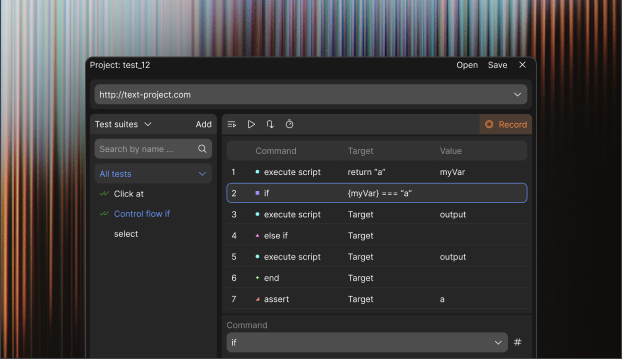
Playwright IDE is a no-code testing tool, focused on creating, running, and managing Playwright tests through a visual, table-based interface. Instead of writing test code, users define test steps, actions, and assertions in a structured UI, making test automation accessible to QA engineers and non-developers.
Will I lose control over my tests if they become automated?
No. You decide which steps are automated and which remain manual. Automation can pause at any point for validation, input, or visual checks.
How does the manual step feature work in Playwright IDE?
With Manual Steps, you can add a row in your test table that pauses the automation and shows instructions for a manual check, such as "Look at the email and confirm it's correct." After you do the check and continue, the test picks up from there. This works well for situations where automation alone isn't enough, and you don't need to code for it.
Can I combine manual and automated steps in one test?
Yes. That’s the core idea. Repetitive actions run automatically, while critical or variable steps stay manual. This allows you to scale execution without sacrificing quality.
How is this different from Selenium IDE or other recorders?
Typical recorders require you to start with automation. Here, you start manually, and the system identifies what should be automated based on real usage. It’s not record-first — it’s usage-driven automation.
Can I run full regression suites automatically?
Yes. You can group test cases and execute them in one run. Automated steps scale execution, while manual checkpoints remain where needed.


.svg)
.svg)


.svg)